Product finder quizzes
Product finder quizzes built around use a short question flow to personalize the message or teach a concept.
Create quiz ads for interactive campaigns, lead-in experiences, and product discovery creative. Turn questions, answer choices, result logic, product recommendations, brand assets, and CTA copy into editable creative with motion, voice, music, and polished exports.
Build practical assets for interactive campaigns, lead-in experiences, and product discovery creative, then adapt the strongest idea for another audience, message, or placement.
Product finder quizzes built around use a short question flow to personalize the message or teach a concept.
Knowledge quizzes built around keep the question count short, make answer choices unambiguous, explain result logic honestly, and avoid collecting sensitive information in the creative.
Personality-style flows built around use a short question flow to personalize the message or teach a concept.
Preference questions built around keep the question count short, make answer choices unambiguous, explain result logic honestly, and avoid collecting sensitive information in the creative.
Educational quizzes built around use a short question flow to personalize the message or teach a concept.
Recommendation paths built around keep the question count short, make answer choices unambiguous, explain result logic honestly, and avoid collecting sensitive information in the creative.
Use AI assistance for speed, then keep control over the scenes, timing, and message.
Describe the audience, goal, channel, and result you want the creative to communicate.
Upload questions, answer choices, result logic, product recommendations, brand assets, and CTA copy.
Edit the script, layout, typography, motion, voice, music, timing, and scene order.
Create the formats you need, then produce new hooks and variations from the same foundation.
PlayableLab helps teams create the HTML5 creative assets used in interactive campaigns. Generate and refine scenes, motion, interface states, and interaction logic visually, then export the creative for review against the requirements of your chosen ad network.
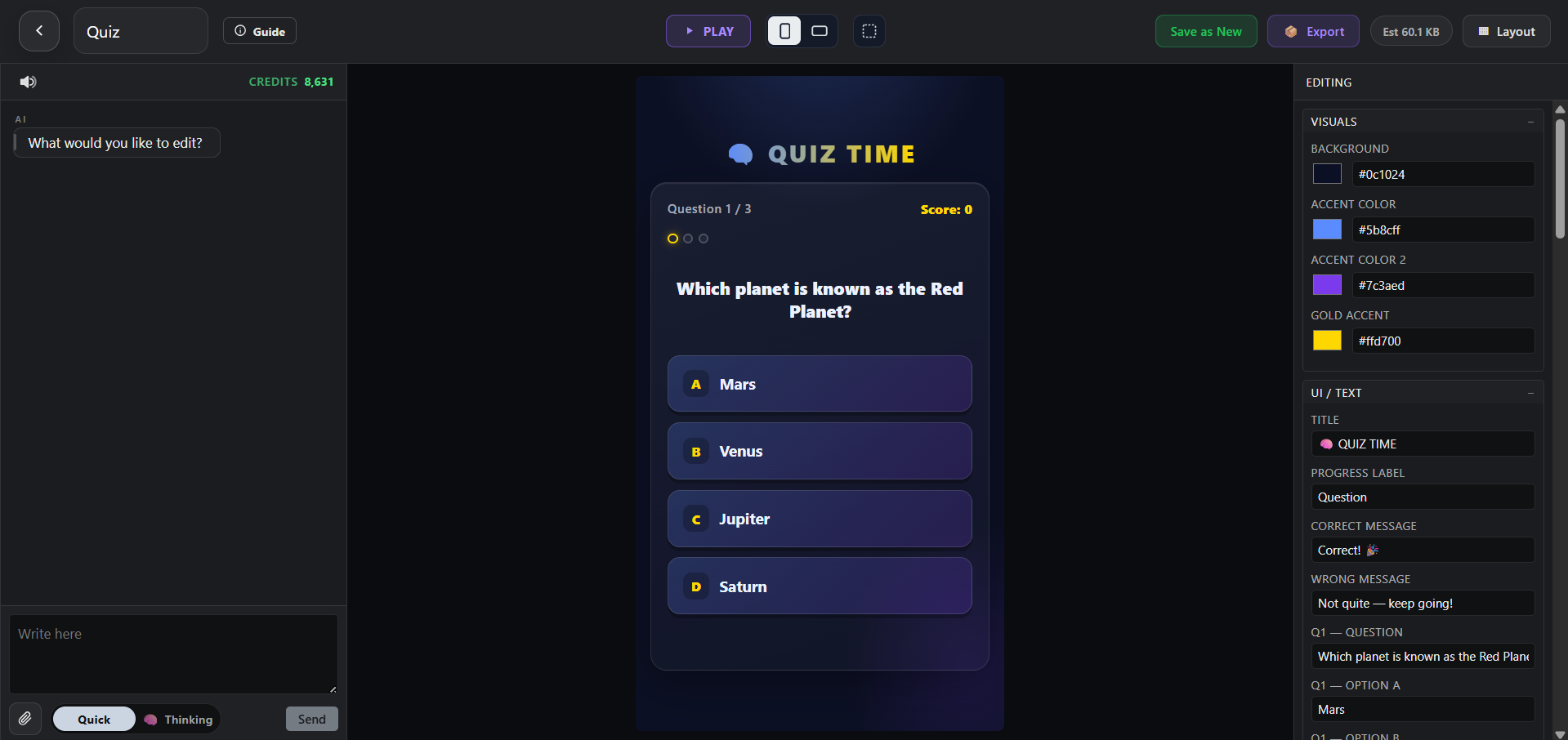
Quiz Ads help brands, publishers, and product teams use a short question flow to personalize the message or teach a concept. PlayableLab turns a prompt and source assets into a structured first cut that you can refine instead of treating generation as the final step.
Keep the question count short, make answer choices unambiguous, explain result logic honestly, and avoid collecting sensitive information in the creative. Return to the Interactive Ads overview to compare this format with the other creative workflows in the category.
Compare adjacent formats and choose the workflow that best matches your audience and distribution plan.
Quiz Ads are videos created for interactive campaigns, lead-in experiences, and product discovery creative. They are most useful when the creative is shaped around the audience, placement, and action you want viewers to take.
You can create Product finder quizzes, Knowledge quizzes, Personality-style flows, Preference questions, Educational quizzes, and recommendation paths. Each concept remains editable so you can adapt the story for a different message or audience.
Keep the question count short, make answer choices unambiguous, explain result logic honestly, and avoid collecting sensitive information in the creative.
Yes. Start with questions, answer choices, result logic, product recommendations, brand assets, and CTA copy. You can combine uploaded material with generated visuals, voice, music, typography, and motion while keeping the scenes editable.
Yes. Duplicate the concept, change the opening, message, scene order, visual treatment, or CTA, and preserve the parts that already support the goal: use a short question flow to personalize the message or teach a concept.
Export interactive HTML5 creative assets and preview-ready experiences for campaign workflows. Check the latest specifications and content policies for the channel or platform where you plan to publish or run the asset.
Start with a prompt or your own assets, refine the creative, and export a finished result.
By continuing, you agree to the Terms of Service and Privacy Policy.
Already have an account?