Product Reels
Product Reels built around turn campaign ideas and everyday brand moments into polished Reels.
Create Instagram reels for organic Instagram Reels and profile content. Turn photos, short clips, product footage, scripts, or brand templates into editable creative with motion, voice, music, and polished exports.
Build practical assets for organic Instagram Reels and profile content, then adapt the strongest idea for another audience, message, or placement.
Product Reels built around turn campaign ideas and everyday brand moments into polished Reels.
Behind-the-scenes clips built around compose for a 9:16 canvas, use readable text zones, and build a visual opening that works before the viewer turns sound on.
Tips and tutorials built around turn campaign ideas and everyday brand moments into polished Reels.
Before-and-after videos built around compose for a 9:16 canvas, use readable text zones, and build a visual opening that works before the viewer turns sound on.
Founder stories built around turn campaign ideas and everyday brand moments into polished Reels.
Campaign teasers built around compose for a 9:16 canvas, use readable text zones, and build a visual opening that works before the viewer turns sound on.
Use AI assistance for speed, then keep control over the scenes, timing, and message.
Describe the audience, goal, channel, and result you want the creative to communicate.
Upload photos, short clips, product footage, scripts, or brand templates.
Edit the script, layout, typography, motion, voice, music, timing, and scene order.
Create the formats you need, then produce new hooks and variations from the same foundation.
Move from one idea to a set of editable social cuts. Reframe the canvas, tune pacing, change captions, and keep recurring content visually consistent without rebuilding every scene.
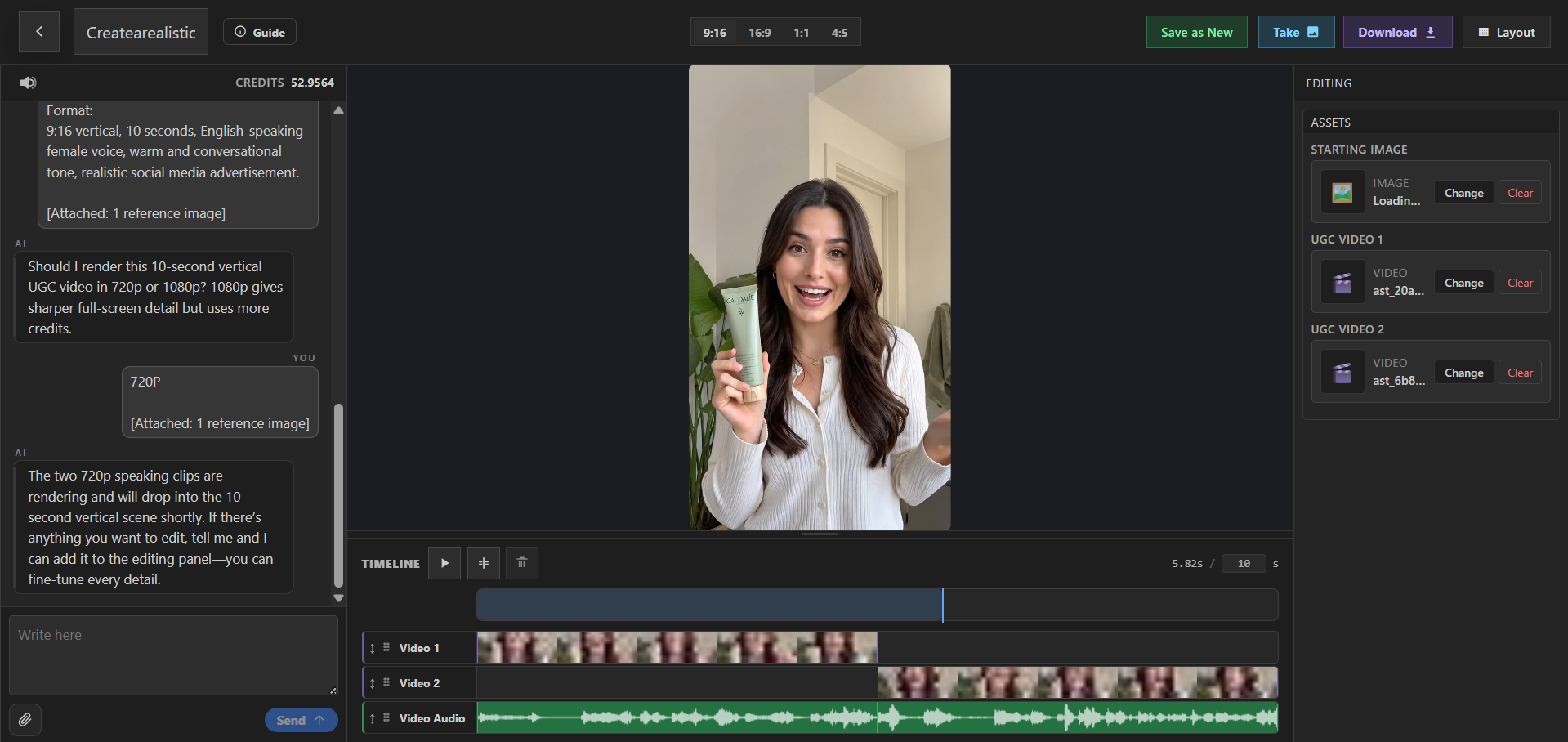
Instagram Reels help brands, creators, and social media managers turn campaign ideas and everyday brand moments into polished Reels. PlayableLab turns a prompt and source assets into a structured first cut that you can refine instead of treating generation as the final step.
Compose for a 9:16 canvas, use readable text zones, and build a visual opening that works before the viewer turns sound on. Return to the Social Media Videos overview to compare this format with the other creative workflows in the category.
Compare adjacent formats and choose the workflow that best matches your audience and distribution plan.
Instagram Reels are videos created for organic Instagram Reels and profile content. They are most useful when the creative is shaped around the audience, placement, and action you want viewers to take.
You can create Product Reels, Behind-the-scenes clips, Tips and tutorials, Before-and-after videos, Founder stories, and campaign teasers. Each concept remains editable so you can adapt the story for a different message or audience.
Compose for a 9:16 canvas, use readable text zones, and build a visual opening that works before the viewer turns sound on.
Yes. Start with photos, short clips, product footage, scripts, or brand templates. You can combine uploaded material with generated visuals, voice, music, typography, and motion while keeping the scenes editable.
Yes. Duplicate the concept, change the opening, message, scene order, visual treatment, or CTA, and preserve the parts that already support the goal: turn campaign ideas and everyday brand moments into polished Reels.
Export social-ready video files in the aspect ratios and durations your publishing plan needs. Check the latest specifications and content policies for the channel or platform where you plan to publish or run the asset.
Start with a prompt or your own assets, refine the creative, and export a finished result.
By continuing, you agree to the Terms of Service and Privacy Policy.
Already have an account?