Animated Videos
Create precise, editable motion for typography, logos, data, presentations, and branded stories.
What you can do with Animated Videos
Control movement precisely
Refine timing, easing, position, scale, scene order, and transitions on the timeline.
Make typography part of the story
Animate words, lines, captions, and data so emphasis remains clear even without sound.
Reuse the motion system
Carry consistent type, transitions, logo treatments, and scene patterns across related videos.
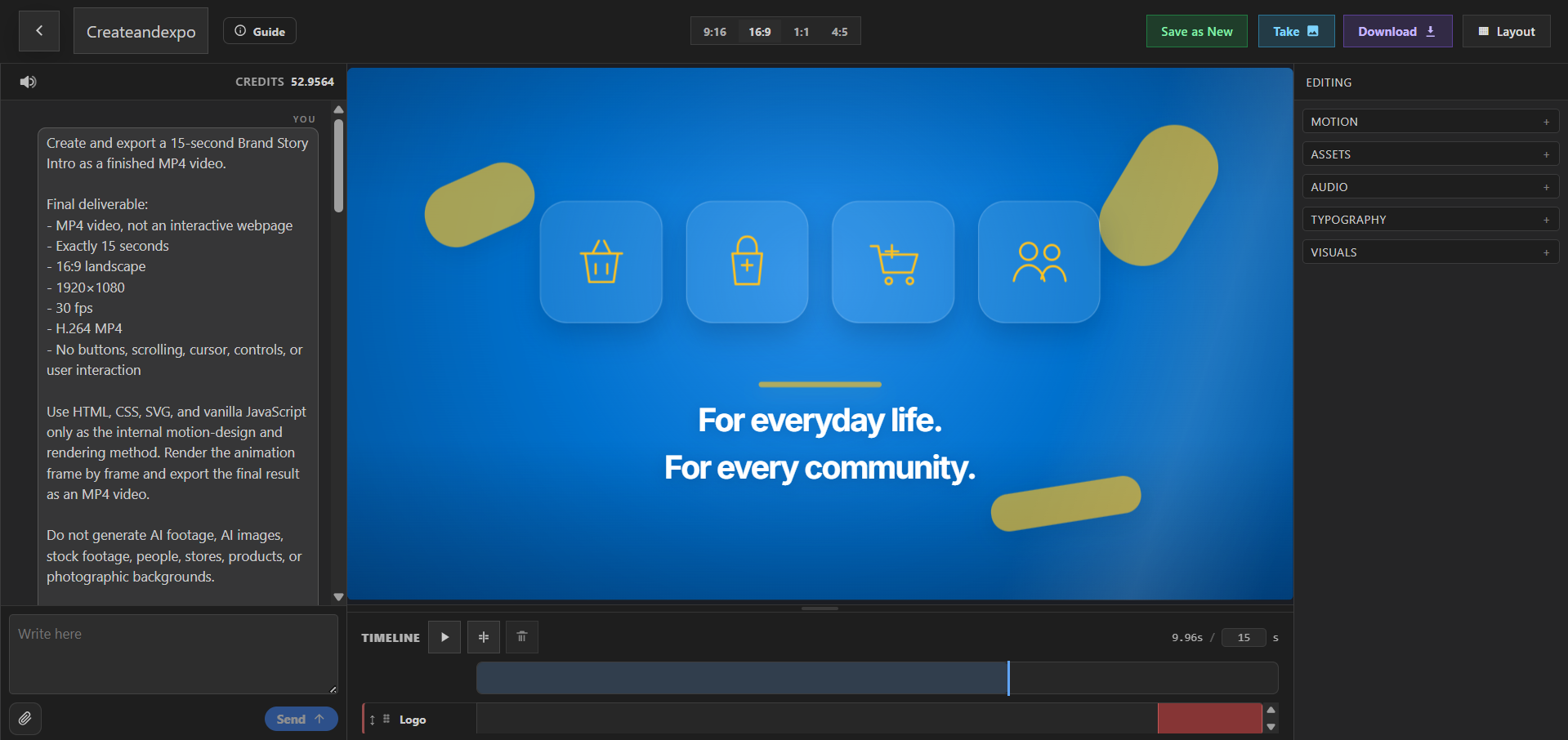
PlayableLab combines HTML5-based creative capabilities with a visual editor, layered scenes, and timeline control. Build motion graphics, animated typography, logo animations, infographic videos, presentation videos, and intros without treating animation as a fixed black-box output.
Coordinate visuals, text, voice, music, and movement in the same project. Adjust the timing of a single word, reorder scenes, update the color system, reuse a transition, or change the pace while keeping the underlying elements editable.
Export the finished work as video for websites, presentations, YouTube, social content, and campaigns. PlayableLab is a creative production environment, not a standalone text-to-video foundation model.
Explore animated video formats
Create precise, editable motion for typography, logos, data, presentations, intros, and branded stories.
Motion Graphics Videos
Build layered motion graphics with precise timing and reusable scenes.
Explore use case →Animated Typography Videos
Animate headlines and captions with editable timing and style.
Explore use case →Kinetic Typography Videos
Turn language into expressive, rhythm-driven kinetic type.
Explore use case →Animated Text Videos
Add clear, editable animated text to message-led videos.
Explore use case →Logo Animation Videos
Turn static logos into reusable branded motion assets.
Explore use case →Animated Presentation Videos
Turn slide content into paced, narrated presentation videos.
Explore use case →Infographic Videos
Turn facts, processes, and comparisons into animated infographics.
Explore use case →Music Video Visualizer
Turn tracks into beat-synced visualizers, lyric videos, and release promos.
Explore use case →YouTube Intro Videos
Create concise, reusable YouTube intros for channels and series.
Explore use case →Control movement, timing, and hierarchy
Use AI assistance to reach a first composition, then direct the details that make motion feel intentional.
- Build reusable scenes from typography, logos, icons, shapes, charts, images, video, voice, and music.
- Refine layers, entrances, exits, transitions, pacing, and synchronization through chat or timeline editing.
- Reuse the visual language across videos while changing the message, format, or sequence.
Create your next animated videos
Control motion, typography, and timing on the timeline, then export brand-consistent animated creative.